 Lobby
Lobby  Support
  Casino
SpinBet Login and Sign-Up Process for NZ Players
Our registration and login process are designed to be easy for new and returning New Zealand users respectively. For Spinbet Casino registration, you will click on the Sign Up button on the upper right corner and complete a short form with personal details. Once done, our library of 5000 titles including pokies, video poker, live casino and others will be available to you. What’s great also, you can activate the extra play money right after you confirm your account with an email we send you.
How to Perform Spinbet Casino Sign Up
Here are the steps to create an account on Spinbet.
- Click on Sign Up
Hit the SIgn up button on the Spinbet homepage. It is a yellow button located beside the login button.
- Fill the form
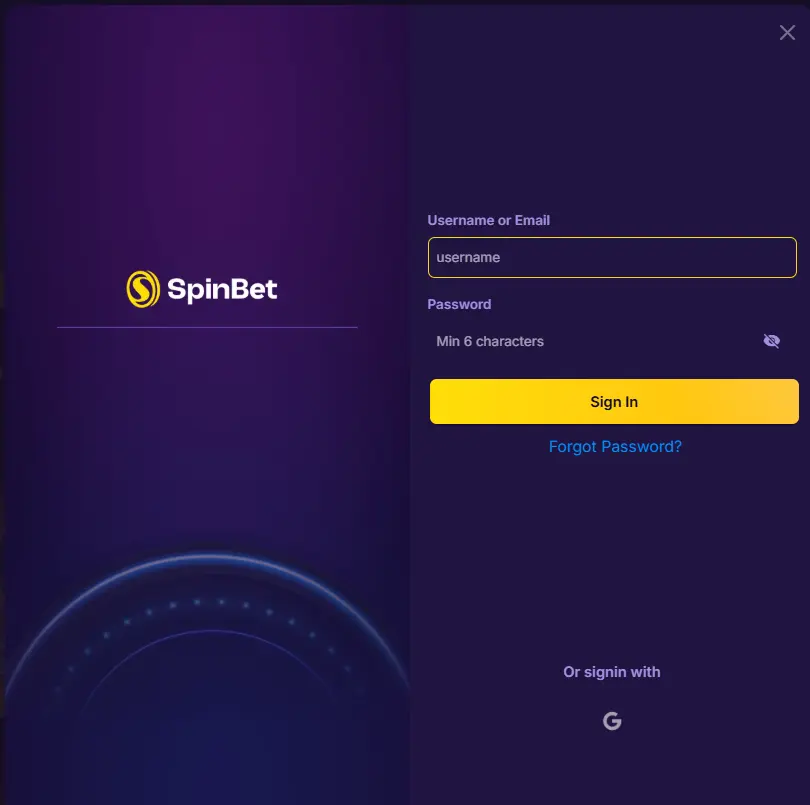
A new form will appear on the next page requiring your username, email address, password, a New Zealand phone number and an optional referral code. The password has to be a minimum of 6 characters. Click on the Next button.
- Choose the Spinbet Casino sign up offer
You have the option of choosing between the 100% up to 100 NZD free bet Sportsbook offer or the 100% up to 6000 NZD + 100 free spins welcome casino reward. Choose the Spinbet welcome casino option: Enter a promo code if you have one. If you are not ready for the welcome offer, you can choose the I don’t want a bonus option.
- Accept the terms and conditions
Click on the box that shows that you accept our Spinbet Casino registration terms and conditions.
- Enter your personal information and address details
You will be required to type in personal details such as your full name, date of birth and country. You will also be required to provide a definite address that you will verify in the future.
- Choose your Payment method
You will select a specific payment to deposit for your welcome offer. If you have skipped the process of accepting a welcome bonus, then you can skip this step. Click on Enter.
How to Complete the SpinBet Verification Account Process
We require all our New Zealand users to verify their accounts before they are allowed to make withdrawals. Our verification is in line with the New Zealand government’s Anti-money laundering (AML) laws. Here are the four things that you need to verify:
- Identity: You need to upload a government issued ID card such as your national ID, driver’s license and international passport. This process helps us confirm your full name, image and date of birth. We want to make sure that nobody is duplicating your Spinbet Casino registration identity.
- Payment method: We accept photos of your e-wallet account, bank card or prepaid voucher with all the necessary information blurred. Without payment verification, you cannot withdraw your earnings.
- Phone number: Phone number verification is important for Two Factor Authentication (2FA) and extra account safety. You will click on the verify button and type in the code that lands in your inbox.
- Address: Our address verification requires a bank statement or utility bill dated within the last 3 months that shows your address.
How to Log Into Your SpinBet Casino Account
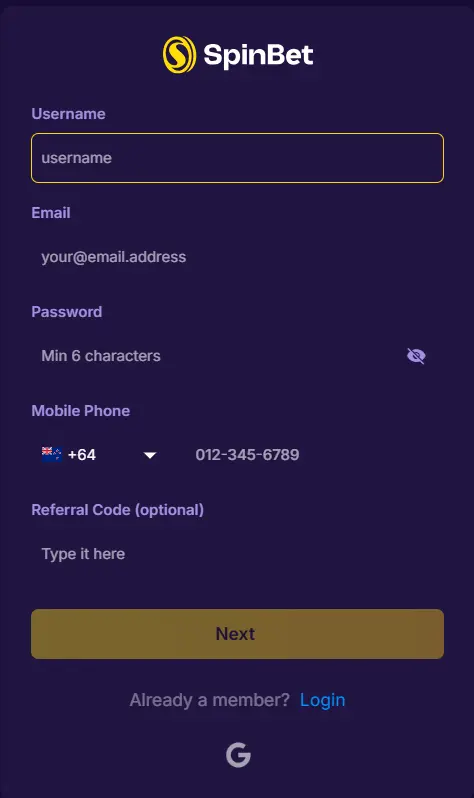
Our sign in process allows registered New Zealand users to access their accounts and play our titles. Here are the steps to follow.
- Click the Spinbet login button: Hit the login button on the top right corner of our homepage.
- Enter your credentials: Type in your email address and password.
- Perform Two Factor Authentication: If you have 2FA enabled, you will receive a code in your SMS or email. Type it in to verify your sign in. Click on the Enter button.
Login to SpinBet Casino on Mobile App
Logging in on our mobile app is the same as our official website. If you are using iOS, download our app from Play Store. If you are using Android, get the Progressive Web App (PWA) by saving it to your homepage.
To sign in, you will hit the login button on the screen and type in your email address and password. One big advantage is that our app allows you to sign in anywhere and anytime.
Player Data Security and Privacy
The Spinbet Casino registration and verification process involves getting information about our users. We do this in accordance with New Zealand’s intensive Know Your Customer (KYC) policy for igaming services. One of the aims of getting player personal data is to prevent fraud.
We want to make sure that no one is falsely using any other person’s financial information for our igaming services. We also want to know if you are above 18.
SpinBet Login Issues and How New Players Can Fix Them
As a new player, you have the potential to run into a couple of problems while trying to log in. Here are some of them.
- Network problems: If you have a weak or unstable internet connection, your login might fail. Wait until the network is stable or try a new network provider. Active VPNs can also interfere with your Spinbet Casino login, if your location has been changed to one where Spinbet is not active. Turn off VPN when about to use our Spinbet New Zealand services.
- Incorrect Spinbet NZ login credentials: The use of a wrong username, email or password can prevent your login from working. Since passwords are case sensitive, beware of the Capslock button. Typo errors can also affect your login.
- Device or browser problems: Disabled cookies or outdated browsers can make your signing in unsuccessful. Update your browser when necessary.
How to Delete Spinbet Account for New Zealand Players
Don’t take the drastic step of deleting your Spinbet account. Before doing that, consider using the temporary self exclusion tool. Your account will be rendered inactive for a period. It is a good way of taking a short break from our iGaming services.
If you have decided to permanently close your account, Spinbet does not have a conventional delete button. Instead, follow these steps.
- Contact live support: After logging in, click on the live support button at the bottom of the Spin bet Casino login page.
- Provided the necessary information: As a security measure, the customer service representative will request for details such as your email address or date of birth. Follow any other instructions from the live support personnel. Within a stipulated time, your account will get shut down.
An alternative is to send an email containing a request to delete your Spinbet Casino sign up account. Remember to withdraw any outstanding funds before permanently closing down your account.
How to Recover Your SpinBet Casino Login Password
To reset your password, follow these steps.
- Click on Spin Bet Login: Tap on the Login button on the top right corner of our homepage.
- Hit Forgot Password? Button: Below the box requiring your email address and password, you will see the Forgot password? Button. Click on it.
- Hit Reset password: You will be redirected to a new page where you need to input your Spinbet Casino registration email address. Then click on Reset password.
- Open the reset link: Within a short instant, a secure reset link will land in your inbox. Click on it and type in a strong password that includes a strong mix of numbers, letters and symbols.


